Convert images to KTX2, right in your browser.
Turn JPG, PNG and WebP textures into KTX2 with Basis Universal compression, ETC1S or UASTC, with mipmaps. Batch a whole folder; nothing is uploaded.
- No account
- Nothing uploaded
- No watermark
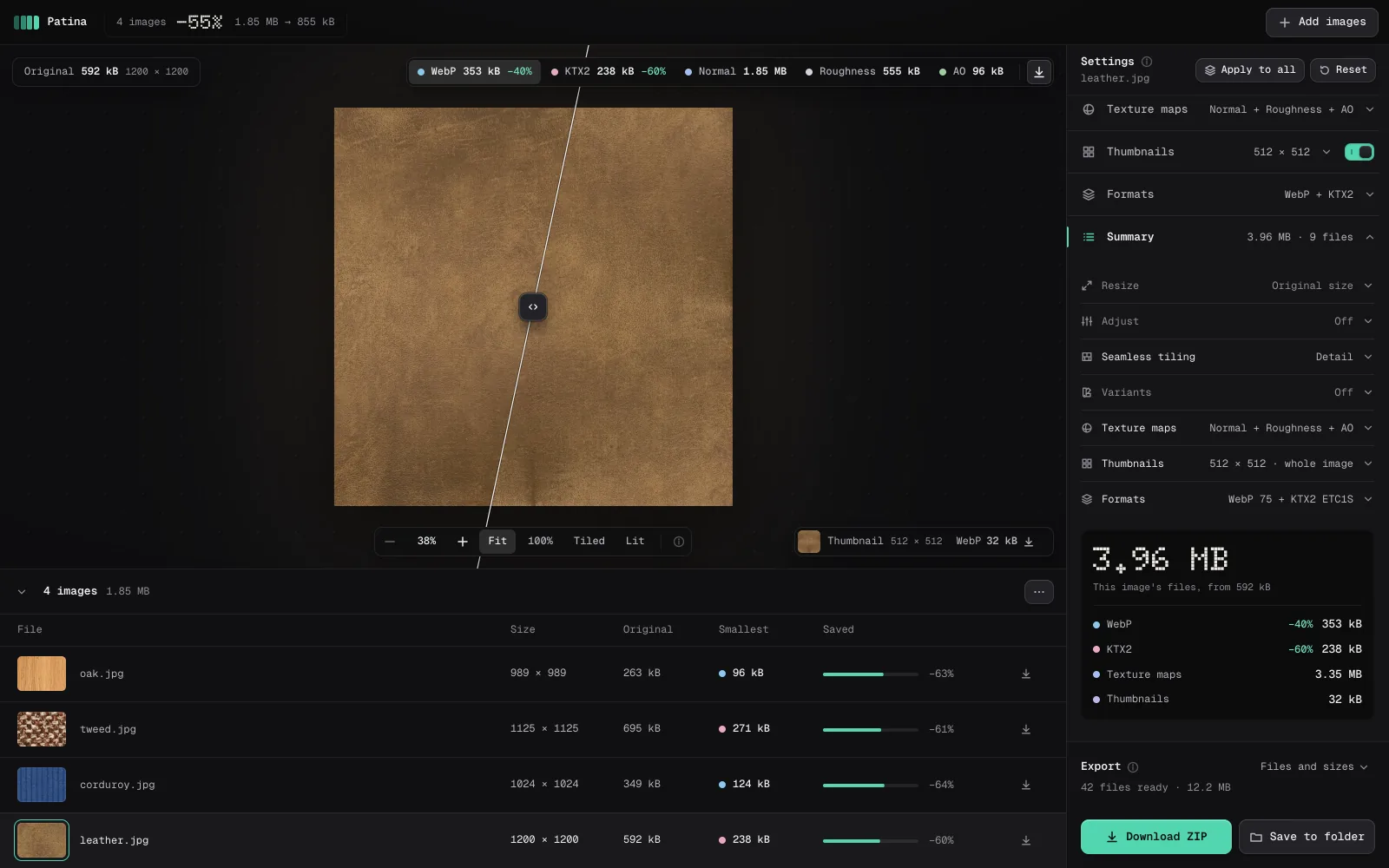
Three steps, one tab.
-
Drop your textures
One image or a whole folder. Patina reads JPG, PNG, WebP, AVIF, GIF, BMP and HEIC.
-
Choose KTX2
Pick ETC1S or UASTC, set the quality, and turn on mipmaps. The size of every file updates as you change a setting.
-
Download
Save the .ktx2 files as a ZIP, or straight to a folder. Add JPG or WebP versions in the same export if you need fallbacks.
Why KTX2 for real-time 3D
A JPG or WebP is small on disk, but the graphics card can't use it compressed: it is decoded to raw pixels, and a 2048 × 2048 texture then takes about 16 MB of video memory. A KTX2 file with Basis Universal compression is transcoded to a format the GPU reads directly, so it stays compressed in memory and uploads faster.
That makes KTX2 the right format for textures in three.js, Babylon.js, PlayCanvas and glTF models on the web, especially on phones, where memory runs out first.
ETC1S or UASTC?
- ETC1S
- The smallest files, at a visible cost in quality. Good for colour maps, roughness and AO, and anything seen from a distance.
- UASTC
- Larger files with much more detail kept. The better choice for normal maps and textures seen up close.
- Mipmaps
- Smaller copies of the texture stored in the file, so the GPU can pick the right size at a distance. Turn them on for 3D scenes.
- Quality
- Each format has its own quality setting, and the real encoded size is shown before you download.
- Resize
- Scale to a power of two like 1024 or 2048, by percentage, to a ratio or to an exact size, in the same pass.
- Batch
- Every image in the folder is converted with the same settings, a few at a time so the tab stays responsive.
Loading KTX2 in three.js
- Use
KTX2Loaderfromthree/examples/jsm/loaders/KTX2Loader.js, pointsetTranscoderPathat the Basis transcoder files, and calldetectSupport(renderer)once. - Use UASTC for normal maps and ETC1S for the rest; most scenes end up far lighter in memory than with JPG or PNG.
- Sizes that are a power of two (512, 1024, 2048) are the safest choice for mipmaps on every device.
- Need the full material, not just a conversion? Patina can also make the texture seamless and add normal maps before encoding.
Questions, answered.
Is this KTX2 converter free?
Yes. No account, no file limit and no watermark. The conversion runs in your browser with WebAssembly.
Are my files uploaded?
No. The Basis Universal encoder runs on your computer, so your textures never leave the page.
Can I convert PNG with transparency to KTX2?
Yes. KTX2 keeps the alpha channel, unlike JPG, which fills transparent areas with a colour of your choice.
Can I convert many images at once?
Yes. Drop a whole folder; every image is converted with the same settings, and you get one ZIP or a folder of files.
Same editor, other jobs.
Your next material is one image away.
Open Patina, drop an image, and leave with a texture set. Free, private, and ready in seconds.