Photo to PBR material, in your browser.
Patina turns one photo into a full texture set: a seamless colour map with normal, roughness and ambient occlusion maps, ready for Blender, Unity, Unreal, Godot or three.js.
- No account
- Nothing uploaded
- No watermark
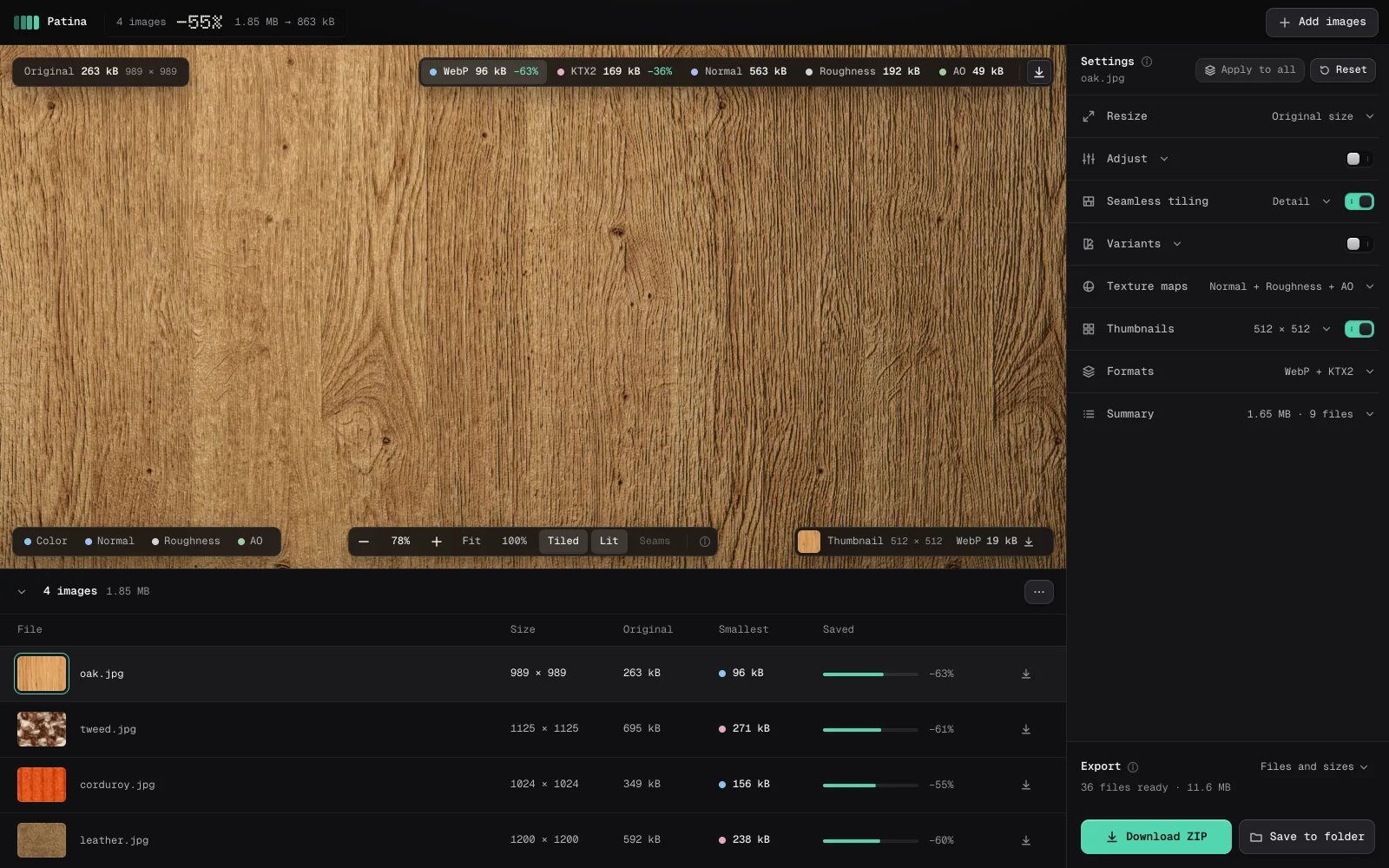
Three steps, one tab.
-
Drop a photo
A photo of the surface, shot straight on in soft light. Patina reads JPG, PNG, WebP, AVIF and HEIC.
-
Build the material
Correct the light, make it seamless, add normal, roughness and AO maps, and recolour it if you need variants.
-
Export the texture set
One ZIP with every map in JPG, WebP or KTX2, sorted by format, with thumbnails if you want them.
What's in a PBR material
Physically based rendering (PBR) describes a surface with a few images that work together. The base colour (or albedo) is the surface's own colour. The normal map fakes small bumps and grooves. The roughness map says where it's shiny and where it's matte. The ambient occlusion map darkens the crevices light doesn't reach.
Patina makes all four from a single photo, in one pass and in the right order: photo corrections first, then tiling, then the maps from the seamless result, so every map lines up and tiles together.
From photo to material, step by step
- Adjust
- Even out the lighting, lift shadows, pull down highlights, fix white balance, sharpen or reduce noise. The base colour should look like the surface, not like the light it was shot in.
- Seamless tiling
- Four methods (Detail, Blend, Seam, Mirror), with a Tiled view to check the repeat. Optionally cover a 2–4× larger area from shuffled patches.
- Texture maps
- Normal (OpenGL or DirectX), roughness and AO, each with its own strength. A Lit view lights the colour and maps together under your pointer.
- Variants
- Recolour the material and keep its grain and sheen. Every colour variant shares the same set of texture maps.
- Formats
- JPG, WebP and KTX2 (ETC1S or UASTC, with mipmaps), each with its own quality, so web and real-time 3D get the right file.
- Export
- A ZIP, or saved straight to a folder in Chromium browsers. One folder per format or flat, with an optional report.csv of every size.
Where the maps go
- Blender: colour into Base Color, roughness into Roughness (Non-Color), normal through a Normal Map node, and AO multiplied over the base colour.
- three.js:
map,normalMap,roughnessMapandaoMapon aMeshStandardMaterial. - Unreal Engine: switch the normal map to DirectX before export; Unity, Godot, Blender and three.js use the default OpenGL.
- Web 3D: export KTX2, which stays compressed on the graphics card and loads with three.js's
KTX2Loader.
Questions, answered.
Is this PBR texture generator free?
Yes. No trial, no account and no watermark. It runs entirely in your browser, so there's no server to pay for.
Does it use AI?
The maps are not AI guesses: they are computed from the image's brightness, so the result is predictable and adjustable. Start from a good photo and you get a good material.
Will any photo work?
No tool can promise that. Shoot the surface straight on, in soft even light, filling the frame. A photo at an angle or with hard shadows won't become a clean material.
Are my photos uploaded?
No. Decoding, tiling, the maps and the encoding all run on your computer, in Web Workers with WebAssembly codecs.
Same editor, other jobs.
Your next material is one image away.
Open Patina, drop an image, and leave with a texture set. Free, private, and ready in seconds.