Make any image a seamless texture.
Patina removes the seams from a photo so it repeats edge to edge, shows it tiled while you work, and makes the normal, roughness and AO maps tile with it.
- No account
- Nothing uploaded
- No watermark
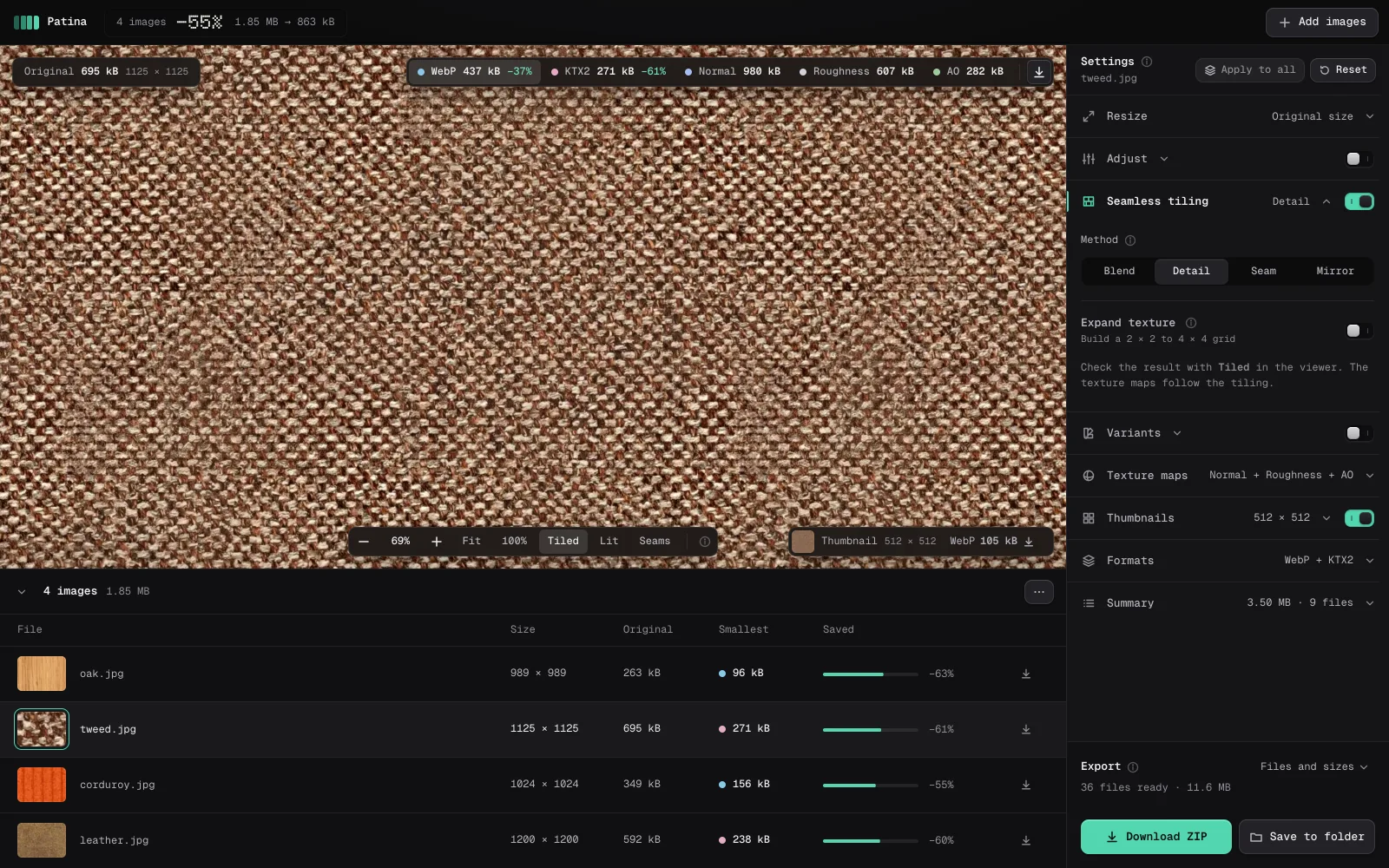
Three steps, one tab.
-
Drop an image
A photo of wood, fabric, stone, leather or any surface. Patina reads JPG, PNG, WebP, AVIF and HEIC.
-
Turn on Seamless tiling
Pick a method and switch the viewer to Tiled. The image repeats edge to edge, so any seam shows at once.
-
Export the tile
Download it as JPG, WebP or KTX2, with optional texture maps and thumbnails, all made from the seamless version.
Why a texture needs to be seamless
A material on a floor, a wall or a sofa repeats its texture many times. If the left edge doesn't match the right, and the top doesn't match the bottom, every repeat draws a hard line. A seamless texture hides those lines, so the surface reads as one continuous piece.
Doing that by hand means offsetting the image and painting over the seams with a clone brush. Patina does it in one step, with a choice of methods because no single one suits every surface.
Four tiling methods
- Detail
- The default, and the best start for most images. It fades the edges into each other while keeping the contrast of fine detail, so the blend doesn't look washed out.
- Blend
- The classic algorithm from GIMP's Tile Seamless: a soft fade across the edges.
- Seam
- Overlaps the edges and cuts along the path where they differ least. Best for stones, bricks and pebbles with clear outlines, because it cuts around them instead of fading through them.
- Mirror
- Flips the image into a 2 × 2 block. Always perfectly seamless, and suits patterns that may be mirrored.
- Cover a larger area
- Makes the tile cover 2, 3 or 4 times the width and height, rebuilt from shuffled patches, so the surface looks zoomed out and the repeat is harder to spot.
- Tone variation
- Adds a soft, large light and dark drift across the larger area, which hides the repeat even further. The result still tiles.
What makes a photo tile well
- Shoot straight on. A photo taken at an angle has perspective that no tiling method can hide.
- Use soft, even light. A gradient from one side to the other shows up as a stripe in every repeat; Even out lighting under Adjust removes most of it.
- Fill the frame with the surface, without objects, edges or a single standout feature like one big knot.
- Check the result in the Tiled view at a zoomed-out level, where repeats are easiest to see.
Questions, answered.
Is the seamless texture generator free?
Yes, fully. No account, no watermark, and no limit. The work happens on your computer, not on a server.
Do the texture maps tile too?
Yes. Patina makes the normal, roughness and AO maps from the seamless image, so the whole material tiles together.
Which method should I use?
Start with Detail. Switch to Seam for stones and bricks with clear outlines, and to Mirror for patterns that may be flipped.
Can I make several images seamless at once?
Yes. Drop a folder; the same settings apply to every image, and each one can be checked in the Tiled view before you export.
Same editor, other jobs.
Your next material is one image away.
Open Patina, drop an image, and leave with a texture set. Free, private, and ready in seconds.